- Home Design Software
- Landscape Design Software
- Kitchen Design Software
- Interior Design Software
- Home Remodeling Software
- Garden Design Software
- Bathroom Design Software
- 3D Home Design Software
- How-To Videos

**Download Versions are Non-returnable and Non-refundable**
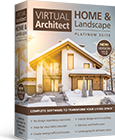
Tackle Any Home Improvement Project Easily with
Virtual Architect Home Remodeling Software
Easily plan room additions, remodeling and other projects. Then see the results in photorealistic 3D! Even take a virtual “walkaround” in your new space.
1. SKETCH
Drawing new rooms and walls is as easy as clicking and dragging your mouse. Or
get started even faster with wizards for virtually any project. Plus, you can even
import existing plans straight onto the home remodeling software.
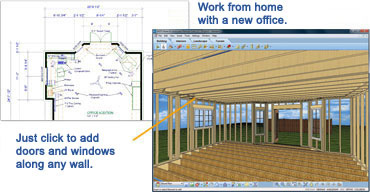
- Walls: Easily draw interior and exterior walls that automatically connect.
- Doors: The door wizard easily adds a variety of door types – sliding, French, bi-fold, even garage doors.
- Windows: Add any type of window at any size, such as hung, sliding, bay, or louvered.
2. CUSTOMIZE
Specify doors and windows. Then add cabinets, lighting, window coverings,
flooring, paint and more. It’s easy to design your entire project in 3D!
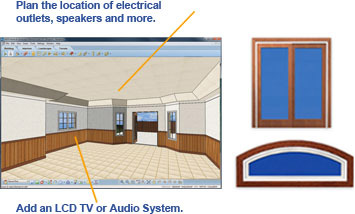
- Choose paint, stains, and fabrics from leading national brands.
- Select furniture, appliances, electronics and fixtures from an extensive library.
- Pick your favorite flooring and cabinets for kitchens and baths.
- And much more with this home remodeling software!
3. FURNISH
Add office equipment and furnishings. Then
render your design in photorealistic 3D - and
your plan is complete!
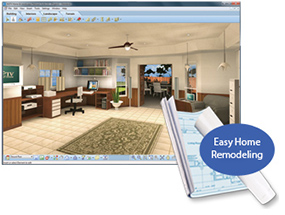
Automatically generate blueprint-style plans to give contractors a precise idea of how you want your remodel to take shape.
- Photorealistic 3D Views: Using this comprehensive home remodeling software, you will be able to view your new design in 3D.
- 3D Walkthrough: Create and take virtual tours throughout your finished room. Plus, easy zoom and navigation lets you see your space from all angles!
